Showing posts with label classroom technology. Show all posts

Monday, July 14, 2014

Top 10 Gadgets for a Tech-Loving Teacher

I leave tomorrow to go on an overnight faculty retreat with my colleagues, and as I started to pack my bag for the trip, I realized that I love gadgets. What started as a pretty basic love of smartphones, Kindles, and iPads has blossomed into a love of accessories as well. While I won't be packing all of these items for an overnight trip, I thought I'd share my 10 favorite gadgets for the tech-loving teacher.

1. ScanSnap Scanner

This has played a major role in helping me go paperless in my classroom and my personal life. The ScanSnap is a lightweight, portable scanner that can handle 12-15 double-sided pages at a time. It syncs with Dropbox and Evernote (two apps I love) so I can hold onto information without having to keep the piles of paper that come with it. For example, there are a bunch of forms that I'm required to use at school for various things. Rather than keep a file of them all cluttering up my desk, I just scan them with the ScanSnap and print them whenever I need them. I'm far faster at locating items on my computer via the search feature than I am at finding a random piece of paper, so this has been a life-changer for me.


2. Charging Hub

Having a lot of devices can be a problem when it comes to keeping them charged. I hated the clutter of all the chargers and the ugly power strip sitting by my nightstand. I recently solved that problem by purchasing the Anker 40W 5-port USB Charger.


One plug charges up to 5 devices via their USB cables. When there are limited plugs available, this is a great tool to have. It streamlines the clutter and the tangle of cords. I like it so much that I'm planning to get a second one for my classroom.

3. Cocoon Grid It

When you travel with a lot of gadgets -- even just between home and school -- you inevitably have a lot of cords and things that can get lost in your bag. For a while, I tried to assign items to various pockets to try to keep them organized, but that never worked very well. I'd forget what went where and spend way too much time digging around for something. That changed once I got the Cocoon.

It's about the size of a piece of paper, and it has several woven elastic bands that can hold items in place in many configurations. It's a great resource for keeping your smaller gadgets and their cords neat and tidy in your bag.
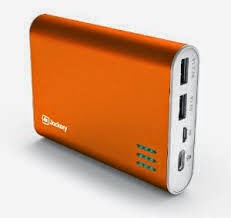
4. Portable Charger

One of the biggest challenges for me is keeping everything charged throughout the day -- especially when I go from school to grad classes at night. In some of my college classrooms, there are very few outlets, and it's hard to get a seat near one. That's why I love the Jackery Giant portable charger


Small and portable, I can charge this through my laptop, and then it can charge my other devices when I'm on the go. It came in especially handy while I was at ISTE recently, and I love it for travel. You can charge two devices at once, and it holds enough power to extend your device's battery by 500-600%.
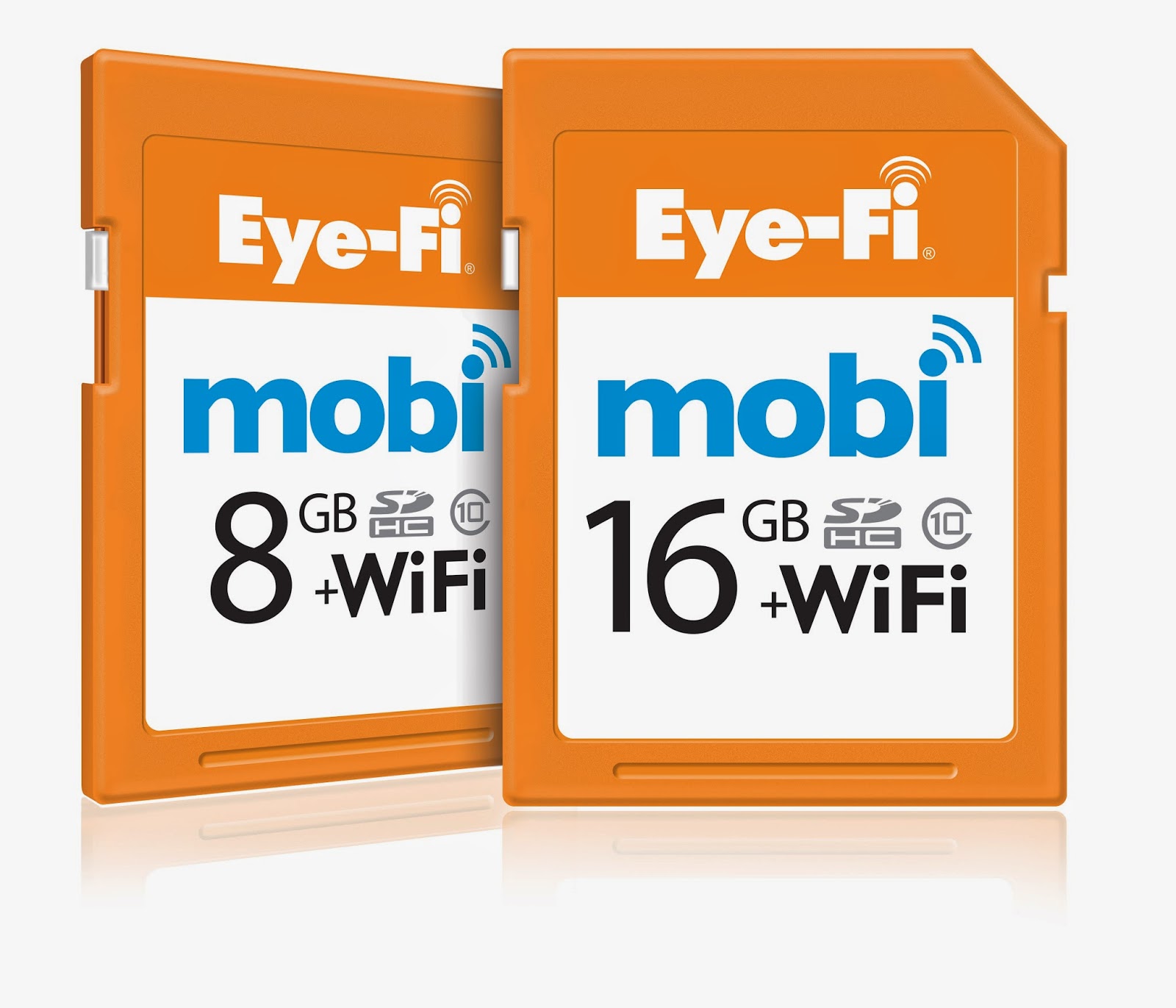
5. Eye-Fi Mobi

I love using my good camera -- not the one on my iPhone, but my actual Sony digital camera. One of the things I hate, however, is taking out the memory card to move pictures from my camera to my computer. Invariably, I leave the card in my computer and don't have it when I go to take pictures, or I leave pictures on my camera forever and miss opportunities to share them in blog posts or with family in a timely manner. Then, I met the Eye-Fi card.

This card works like a typical memory card, but because it has WiFi capability, it can automatically send the pictures to my computer as I take them. It's a huge time-saver for me, and it has encouraged me to use my camera far more than I had been using it.

6. Jawbone UP

I'm on my feet a lot throughout the day, and I'm not the best with making time for exercise or sleep. I've had a Jawbone for over a year now, and I love it. It helps me keep track of my steps and my sleep quantity and quality so I can set goals for myself in both departments. It's comfortable and flexible so it doesn't bother me when I'm typing or sleeping, and it's waterproof so I can even wear it in the shower.
Like many teachers, I struggle with work-life balance, and this helps me gauge when things are really getting out of whack. 

7. Fine Point Stylus

I love using my iPad for note-taking, annotating documents, and making tutorials for my students. However, I hate drawing with my fingers because I feel like I'm less coordinated using my index finger relative to a pen, and most styluses are a little too nubby for me. I finally found one that I love in the Adonit Jot Pro

It has a fine-point with a small plastic disk at the tip, and while it's heavier than most pens I'd use, it is by far the closest thing to a pen-like feel that I've found for the iPad. I've had it since December, and I'm very protective of it. It's a must-have if you want to have more precision in your iPad creations, but be careful -- the small disk has popped off a couple of times in my bag, so you have to be careful about storage so you don't lose that piece. 

8. Canon SELPHY

I take a lot of pictures of activities in my classroom, and I like to be able to integrate those into bulletin boards to showcase student work. In the past, it was kind of a pain to print the pictures because I'd invariably have to get a bunch together, upload them to some website, and then have them printed by a 3rd party in a big cluster. I then received the Canon SELPHY as a gift from a family member, and it has eliminated all of the hassle from the process.

I can print from a memory card or send pictures straight from my iPhone or iPad to the printer, and it will print postcard sized borderless photos. I love that I can print wirelessly and as needed rather than having to put together an order that I eventually have to pick up from the store. It's much more efficient, and therefore more likely to get done.

9. IPEVO Point 2 View USB Camera

I use a document camera a lot in my classroom, but the ones my school has available take up tons of real estate on my desk. I also like to be able to have access to a document camera when I'm giving presentations for professional development sessions that I lead or presentations I give in my grad school classes, but I'm not likely to haul around a huge document camera from place to place. That's why I LOVE my IPEVO Point 2 View USB Camera

It is incredibly lightweight and compact, and it produces great images. I use it all the time, and at $69 on Amazon, I think it's a steal. I also like the fact that it can come off of it's stand, so if you're doing an activity in science where you want to look at something from an unusual angle, you have the flexibility to do so. If you don't have a document camera in your classroom, or you want something smaller, I highly recommend this.

10. Wireless Presenter with Laser Pointer

I find myself presenting a lot these days, both in and out of my classroom, and when I am, I absolutely hate to be tethered to my computer. I'd much rather be circulating among my students and interacting than staying in one place. I did some research on wireless remotes and ended up choosing the Kensington Wireless Presenter with Laser Pointer


It's small and comfortable to use, and with only four buttons, it's hard to mess up. My students love the laser pointer part of it, and I love how reliable it is. I've used it on many different computers -- Macs and PCs -- and I haven't encountered any hiccups yet. I've had my current one for three years, and the only thing I plan to replace are its batteries. 

Wrap-Up

So there you have my current top 10 list. With the exception of the ScanSnap and the Jawbone, all of the items are less than $100, and I've included links to each item on Amazon. (Those are affiliate links so Amazon will pay me a small commission if you choose to buy anything, but I'm only linking to items that I LOVE and USE constantly.) What are some gadgets that you love? I'd love to hear more in the comments as I start my back to school wish lists, so be sure to share. :-) And which gadgets do you currently use or would like to have in your own classroom? I'm always curious about the accessories as well.

Have a great week!

Tuesday, February 11, 2014

How to Cope with Too Many Snow Days

Ice and Snow, Go Away!

This has been the worst winter since I moved to Atlanta eight years ago. We have six-week terms, and during these last six weeks, we lost two days to extremely cold temperatures (by Southern standards), three additional days because of the "snowpocalypse" that buried Atlanta, and now I'm home again due to Winter Storm "Pax" that will likely shut us down the rest of the week. That's nearly one-third of our term lost!

Adding to my dilemma, our calendar builds in week-long breaks at the end of each six week term. So we won't be back in school next week either. It's a serious wrinkle in my plans.

I talked to my fourth graders about this yesterday, and we worked out a plan so they could continue to work from home during these inclement weather days. It's a really rainy, dreary day anyway (we're at the "wintry mix" stage of the storm), so it's not like they'd be outside sledding today. I also suspect that many parents are welcoming the activities at this stage of the winter!

Here are my suggestions for telecommuting with your class during winter weather.

Building a Virtual Classroom

1. Choose a mix of activities that can be shared with parents. I knew early last night that we'd be off today, so I found some activities that aligned with what we're studying right now. While many of the activities require computer access, I purposefully included some that do not. For example, we're building weather instruments out of household items, writing stories, continuing our reading, etc. But we're also using some online resources.

2. Take advantage of online instructional videos. Two of my favorite free resources are LearnZillion and Khan Academy. I selected videos that align with the math and ELA content we're working on now.

3. Stay accessible through your Learning Management System. We use Edmodo in our class, and it's a great tool for turning in assignments and having class discussions. I'm checking in throughout the day to answer students' questions and participate in the discussion questions I set up there earlier.

4. Take advantage of the resources students have at home. I teach in a 1:1 iPad classroom, so we're constantly on iPads. There are lots of flash-based games that we can't run on our iPads, however. I'm fortunate that all of my students have computers at home, so I'm incorporating more of those activities for students to complete. I'm also choosing some really fun and engaging simulation games that we just don't ever get to in class. Two examples:


Law Craft - For the record, all of the games at iCivics.org are worth checking out. In this particular one, students work to craft a law and take it through the legislative process. They have to build support by making concessions, work out the details through committees, and ultimately get the president to sign it. It teaches a lot about how a bill becomes a law.


Edheads Weather - This aligns with the weather forecasting aspect of our weather unit. Students will work through different weather maps to report the weather and predict future weather events. It's another great interactive game. I highly recommend the activities at the Edheads website. The only downside is that there are lots of ads, and sometimes pop-ups.

5. Be flexible - I can't really help students troubleshoot tech issues on their home computers, and I can't make them do the activities at home. I'm not making any of the activities mandatory, but they're still available. I'm hoping that with the good mix of opportunities, parents and students will take advantage of the resources I'm offering. But I won't punish a student who doesn't. If even a few kids do the activities, it's better than writing off the weather days as a complete loss.

Preparation is Key
It would be impossible to implement this plan with fourth graders if a lot of our technology norms and routines hadn't already been established. My students are familiar with my class website, Edmodo, and my expectations. Integrating technology in the classroom makes the transition to our virtual classroom seamless.

How do you handle inclement weather days with your class? Do you have any plans resources to keep students engaged while they're away from the classroom? I'd love to hear your ideas in the comments!

On an unrelated note, I have been MIA from the blogging world since October. As I've mentioned before, I've started working on a PhD in addition to teaching full-time and managing my toddler, so I've been insanely busy! I have an amazing student teacher this semester, however, so I'm starting to delegate more. I'm hopeful that will free up a little more time and energy so I can get back to blogging and reading all the stuff I've missed. Perhaps these weather days will also assist with that!

Thursday, July 4, 2013

5 Ways to Use iPads in Math

Today I'm linking up with the Tune into Technology Linky to share some ways to integrate technology in Math. Since I teach in a 1:1 iPad fourth grade classroom, I'll focus on how we use iPads in Math.


1. Build a Math Notebook in Evernote


Evernote is my all-time favorite note-taking app, and that extends to math as well. In addition to typing text notes, students can attach documents (handouts, activities, etc) that they've viewed on their iPads and they can also take pictures through the app or attach pictures from the camera roll. That's helpful when they build models with manipulatives and want to archive their work.

2. Reinforce concepts or conduct inquiry research with math movies.


BrainPop

Khan Academy


Two of my favorite apps to use in math are BrainPop and Khan Academy. I often use these to introduce a lesson or to differentiate instruction. I often feel like I get stretched pretty thin during math instruction because I have such a range of skills in my classroom, but these apps help. If I'm working with a student and a second student needs help, I can direct that student to a video on Khan Academy and encourage the student to see if that will help him or her figure out the problem until I can get there. Often the additional examples help the student understand the problem better.

3. Make math movies to assess understanding
Show Me

Explain Everything
I often ask students to show their solution to a problem on an app like Show Me or Explain Everything. There they can model their thinking using pictures or drawings, and they can record their voice as they explain their work. I learn so much about their understandings through their explanations, and it helps to assess the Standards for Mathematical Practice included in the Common Core.

4. Make a Vocabulary Notebook in Keynote


Keynote

I like to use Keynote for their math vocabulary because we can create slides that use the Frayer Model for vocabulary instruction. In addition to typing definitions, examples, and non-examples, they can draw their own pictures on a whiteboard app, take a screenshot, and add them to the slide. They can also search for real-world examples to photograph and add. Once they're finished, they can easily alphabetize their entries by rearranging the slides.

5. Use QR codes
Our math word wall has QR codes linking to the definitions of each term so students can quiz themselves about the meaning of a term or review terms they've forgotten. If you click on the image below, you can get a freebie example of this for the properties of multiplication.


My complete sets for grade 4, grade 5, and 4/5 combo are available at my TpT store.

We've also written riddles in Geometry where students could scan a QR code to find the answer. You can read my post about that here.


And we've used QR codes to help check homework assignments. I've written about that here.


I'm really just scratching the surface here -- there are so many other possibilities and several math specific apps to use, but I'll save those for future posts. I'm excited to read other examples of integrating technology into math, though, and if you haven't visited the linky yet, you definitely should. I got so many great ideas for reading and writing from it last week!

How do you use technology in Math?

Sunday, June 30, 2013

Tune Into Technology Linky: Integrating Technology into Reading

I'm excited to be linking up with iTeach 1:1 and Learning to the Core for their new series Tune into Technology. This week's topic is Integrating Technology into Reading, so I wanted to share 5 strategies I use to do this.

1. Let kids annotate their reading with GoodReader.


I've talked about this app before, but it's one of my favorites. GoodReader allows you to annotate pdf documents. I use it for almost all of my professional reading, and I've converted several documents into pdfs for my students as well. It's a fantastic tool because my students are able to leave "think marks" all over their reading, and I don't have to worry about them writing in a book or leaving sticky notes everywhere. We've even developed our own codes for how to use the annotation tools.


2. Share favorite books on KidBlog.


My students LOVE sharing the books they're reading on KidBlog, and they especially love reading and commenting on each other's blogs. I've talked more about how we do this in a previous post.

3. Create Book Trailers in iMovie.


Some of my students began doing this for fun at the end of the school year when we became a 1:1 iPad classroom, and I will definitely be doing this more next year. iMovie has some great templates built-in for this, and my students loved being able to share their favorite books through this medium.

4. Create book clubs and discussion groups on Edmodo.


We started using Edmodo at the end of the school year, and it was a great way to get conversations started or keep them going about the books we were reading in class. You can read more about getting started with Edmodo in my paperless series here.

5. Use Evernote and GoodReader to assess reading.


I use the running record templates from the Reading & Writing Project at Teacher's College. Because they're pdf files, I can annotate them in GoodReader, and I can record students while they're reading in Evernote. I've written a complete tutorial on how to do this here.

How do you integrate technology into reading instruction in your classroom? I'd love to hear your ideas. And be sure to link up with the Tune into Technology linky!

And don't forget to join us for the Southeastern Blogger Meet Up. Click the button below to get the details and RSVP!


Thursday, June 13, 2013

Why Teachers Love Technology

An infographic about "Why Teachers Love Technology" was recently shared with me, and on the heels of yesterday's post, I felt like now is a good time to share the infographic with you.

What do we Know Infographic
Graphic from OnlineUniversities.com

Do you love technology? I'd love to hear why in the comments section!

Wednesday, June 12, 2013

In Defense of Classroom Technology

Usually when I talk to people about the fact that I teach in a 1:1 iPad classroom, they think that's awesome. But now and again, I'll run into someone who thinks handing a kid an iPad in school is an atrocity, and I feel like I have to defend the work that I'm passionate about. This happened to me recently at a social event when my attempts at small talk quickly turned into a debate about what we're "doing to kids today." The naysayers certainly exist, and this particular encounter made me pause to think about why I feel so strongly about this topic.

Here are some of the reasons I feel it's in the best interests of both students and teachers to maximize the use of classroom technology.

My students explore constellations on their iPads.

1. It teaches real-world problem solving skills.
Being good at technology is largely a result of being willing to experiment and fail. I wasn't born knowing everything there is to know about iPads or Evernote or Edmodo -- I've learned by trying different things and seeing what worked and what didn't. When I can't figure it out on my own, I talk to others or look for the information I need online. Now I get to see these skills in my students. Whenever they need to troubleshoot something, they work together to find a solution. They don't give up or think it's impossible. In this high-tech world, these skills are going to be incredibly valuable.

2. It facilitates better communication between home and school.
If parents want to know what we're doing in class each day, they can find all of our homework and activities on our class website. If they want to monitor grades or see what assignments are missing, they can look on Edmodo. If they want to know what their child's behavior was like at school today, they can look on ClassDojo and get a report. If they want to know what their child sounded like reading a 4th grade leveled text at the beginning of the year compared to now at the end of the year, I can pull up the child's audio recordings on Evernote. Technology makes it easier for parents to know what's happening in school, and I'm happy about that.

3. It makes students better writers.
Without question, writing skills are incredibly important. When I think back on all of the essays I had to write in high school and college or the cover letters I wrote to get opportunities I have today, I know that my ability to write mattered. Technology makes students better writers for a variety of reasons:
  • It makes them more open to revising and publishing their work when they don't have to handwrite the whole paper over again.
  • It teaches them typing skills that will make them more efficient at writing and therefore able to write more. 
  • It gives me more opportunities to give them feedback about their writing because I can easily collect samples at various points. I can have them turn in a copy of a draft wherever they're at without interrupting their work because I don't have to collect a notebook. 
4. It keeps kids engaged.
I used to have students write book reports. Now I have them write book blogs on KidBlog and make book trailers using iMovie. It's basically the same assignment, but now students are motivated and engaged to complete it. They have an audience of their peers that makes their work more authentic, and it's something that can't be easily replicated without technology. The effort and outcomes my students experience because of technology is something that should be encouraged.

5. It benefits all types of learners.
I think a lot of the criticisms of technology assume that students are being passive consumers of it -- watching videos or playing video games all of the time. Without question, technology could be used as a high-tech babysitter, but that's not how it's being used in my classroom at all. When my students use their iPads, they are active and interactive, and they're expressing their creativity in so many ways now. They're making movies, writing stories and articles, becoming budding photographers, and interacting with the world and each other in new and exciting ways.  They're still collaborating and developing the interactive social skills necessary to be productive citizens of society.

6. It keeps everyone more organized.
I can't begin to describe how many minutes I've lost over the last 6 years because students couldn't find a paper or a notebook. Then once it was turned in, I'd have to shuffle through piles of nearly 30 to find what I was looking for. Add to that the fact that students work at different rates and finish tasks at different times, and you have the potential for an organizational nightmare.

I'm a pretty organized person, but without any hesitation I can say that technology has made my students and me substantially more organized. Everything we need can be found on an iPad or a computer. There isn't instructional time lost finding materials or planning time lost figuring out where I filed that lesson idea or who is missing work. It's all in one spot.

7. It allows me to give better feedback.
My students recently took a multiple choice test on Edmodo. I'd entered the correct answers before giving the test, so when I went to look at the results, it was already graded for me. Rather than spending time rifling through a pile of papers to mark answers right or wrong, I was able to type specific feedback to the students. For example, when several students missed question #6, I typed 2 sentences explaining the problem with the answer choice they selected and why the other choice was better. With the help of copy and paste, I was able to give that feedback to all applicable students in less than 5 minutes. How often do you think I could accomplish that in a world where I had to handwrite the comment 15+ times? It wouldn't happen. I wish it could, but it's not feasible.

8. It gives me more information so I can help students.
I routinely ask my students to solve math problems and explain their thinking. Sometimes they have to explain it in words and sentences, but other times I let them use their iPads to make short (30-60 second) videos narrating their solutions and the steps they took. Similarly, when I do reading assessments with students, I can use my iPad to record the student's voice as the student reads. This creates an artifact that I can listen to, share with parents or RTI committees, and analyze in a way that wouldn't be possible absent technology. It's some of the best evidence of a student's ability, and it helps me identify strengths and weaknesses so I can give students the support they need.

9. It makes me more efficient.
Anyone who's a teacher can attest that this job sometimes borders on impossible. Teachers take on so many roles and have so many responsibilities that the stress can be overwhelming. I think that's a major factor in why so many great teachers leave this profession within the first few years and why many capable individuals are deterred from entering the field. In my experience, technology has made this all more bearable. I don't have to waste time shuffling through paper or hunting for files anymore. I don't have to haul carts -- literally carts -- of student work and planning materials home anymore. I can find exactly what I need wherever I'm at because everything is electronic. It's made me much more productive and efficient, and everyone benefits as a result.

10. It's appropriate for the world we live in.
I know a lot of people lament the fact that we've moved into an age of technology. I'm not one of them, but even if I were, I recognize that there's no going back now. I'd rather introduce students to technology in safe, structured ways where I can guide them through the perils and pitfalls than leave them to struggle on their own. I also like that I can show them how to make technology work effectively for them. I'm facilitating students to be productive, creative, and responsible users of technology, and I'm not confident they'd all get there on their own.

It's not technology that's an issue -- it's how the technology is being used. I'm certain that the ways my fourth graders use their iPads will make them better informed, more capable citizens down the road. Is it the only way to teach them? Absolutely not, but the advantages of using technology in the classroom far outweigh any disadvantages the devices bring.

What are the arguments for or against using technology in the classroom that you've heard? I'd love to hear your thoughts in the comments.

Related Posts Plugin for WordPress, Blogger...